
An older MacBook can still be useful for browsing, school, office work and light photo tasks. The question is not age alone, but condition: battery, storage, heat, screen, keyboard and the software you need.
This especially applies to MacBook Air and MacBook Pro models from around 2012 and newer. Many can still be useful with the right maintenance, but the assessment should start with model, battery health and which macOS version the machine can actually run reliably.
What often helps
Many older MacBooks feel much better with a new battery, a healthy SSD where the model supports it, cooling service and a clean reinstall. Some models have soldered storage and memory, so the machine should be checked before ordering parts.
OpenCore can help, but is not always right
OpenCore Legacy Patcher can run newer macOS versions on some older MacBooks. It can provide access to newer apps and security updates, but it is not official support. Model, graphics, Wi-Fi, battery and stability should be assessed before upgrading.
A clean install can help a lot
A Mac that has been upgraded for many years can contain old apps, leftovers and faults that make it slow. A clean reinstall can give faster startup, better response and more free space. Back up and check drive health first.
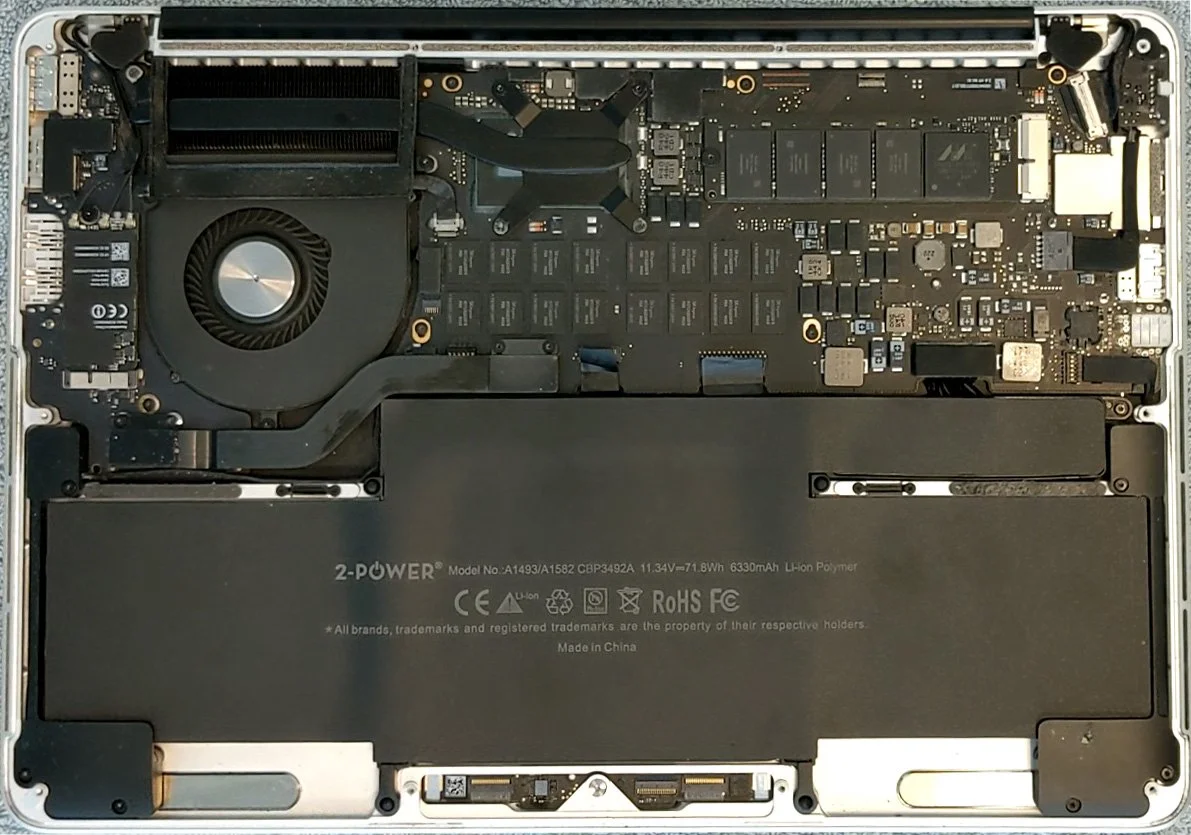
Cleaning, thermal paste and battery
Dust and old thermal paste can make the fan run more and performance drop. Cleaning should remove dust from fans and heatsinks, and new thermal paste should be applied correctly to the processor and any separate graphics chip. The battery also loses capacity with age. If the machine is otherwise good, cleaning and battery replacement can be enough to make it practical again.
We can assess it for you
A practical package may include cleaning, new thermal paste, battery assessment or replacement, backup and a clean install of the right macOS. Before reinstalling or using OpenCore, files should be backed up, drive health checked and the right macOS version chosen based on model and need, not just because the newest macOS exists.
When repair may not be worth it
If the screen, logic board and battery are all bad, repair can cost more than the computer is worth. The same applies if you depend on newer apps that no longer support the macOS version the machine can run reliably.